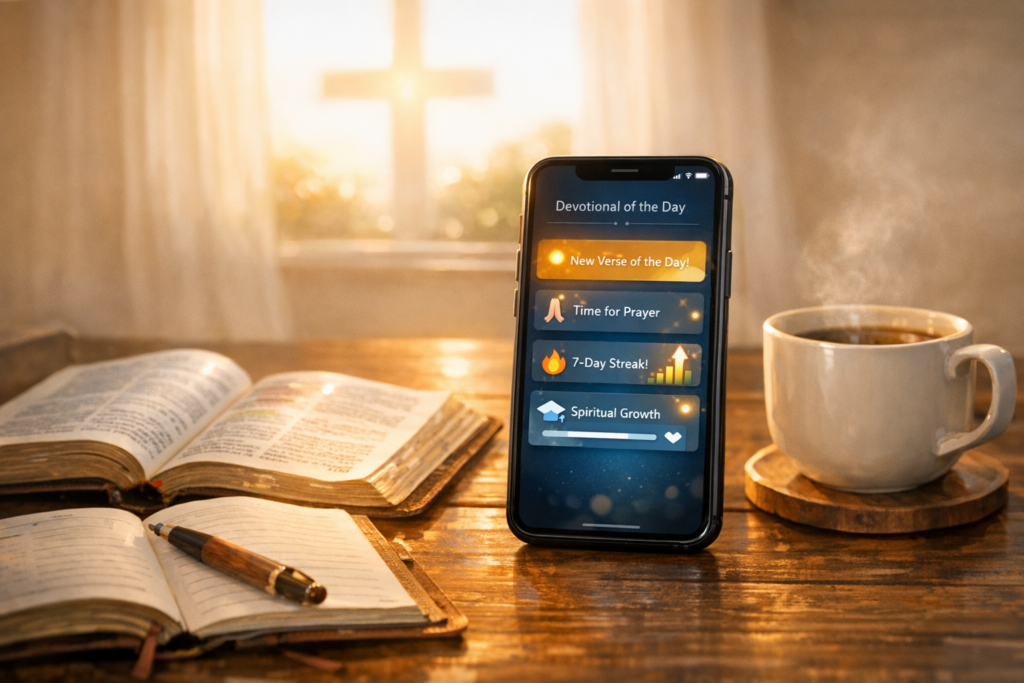
Choosing the right Bible app can transform your daily spiritual routine. With dozens of Christian apps available, finding one that fits your needs saves time and frustration.
Why Your Choice of Bible App Actually Matters
The app you choose shapes how you interact with Scripture every day. Features like reading plans, audio Bibles, and study tools determine your consistency and depth.
Many users download multiple apps but stick with only one. The difference lies in usability, content quality, and how well it matches your spiritual goals.
YouVersion: The Most Popular Free Bible App
YouVersion dominates the best Bible apps category with over 500 million downloads. It offers thousands of reading plans and multiple translations at no cost.
The app excels in community features and social sharing. Verse images, highlights, and bookmarks sync across devices, making it ideal for casual readers.
However, YouVersion lacks advanced study tools like commentaries and lexicons. Serious Bible students may find it limiting for in-depth theological research.
Logos Bible Software: For Serious Bible Study
Logos delivers professional-grade resources for deep Bible study app users. It includes commentaries, original language tools, and theological libraries unavailable elsewhere.
The learning curve is steeper than casual apps. New users often feel overwhelmed by the interface and extensive features initially.
Premium libraries require significant investment, starting at hundreds of dollars. This makes Logos worth it only for pastors, seminary students, and committed researchers.
Glo Bible: Immersive Visual Experience
Glo combines Scripture with videos, maps, and interactive timelines. This best Bible app for daily reading approach helps visual learners engage with context.
The immersive content makes biblical locations and events tangible. Users exploring historical backgrounds find this particularly valuable for understanding narratives.
Free content is limited compared to competitors. Full access requires a subscription, which may not suit budget-conscious users.
Blue Letter Bible: Free Study Tools Without Compromise
Blue Letter Bible offers advanced study features completely free. Interlinear Bibles, concordances, and commentaries rival paid platforms.
The interface feels dated compared to modern apps. However, functionality and depth compensate for aesthetic limitations for serious students.
This app suits users wanting Bible study for beginners through advanced levels. No subscription barriers block access to essential scholarly resources.
Olive Tree: Customizable Study Environment
Olive Tree balances free and premium content effectively. Users buy only resources they need, avoiding forced subscription models.
The split-screen feature enables side-by-side Bible and commentary reading. This functionality enhances research efficiency significantly compared to single-view apps.
Building a complete library can become expensive over time. Users should evaluate their actual resource needs before purchasing extensively.
ESV Bible App: Simplicity for Single-Translation Users
The ESV Bible app focuses exclusively on one translation. This specialization delivers exceptional reading and listening experiences for ESV users.
Audio quality surpasses most multi-translation apps. The narration sounds natural, making it excellent for best devotional app listening during commutes.
Limited translation options restrict users who compare versions. If you study across multiple translations, this app won’t meet your needs.
Dwell: Audio Bible with Beautiful Design
Dwell prioritizes listening over reading with professionally narrated Scripture. Multiple voice options and background music create calming prayer app for Christians experiences.
The visual design promotes peaceful engagement with the Bible. Users seeking stress reduction through Scripture find this approach particularly helpful.
Reading features are minimal compared to study-focused apps. Dwell works best as a supplement rather than primary Bible app.
How to Choose Based on Your Spiritual Goals
Identify your primary Bible engagement pattern before downloading. Daily readers need different features than weekly deep-study practitioners.
Casual readers benefit from simple interfaces like YouVersion. Students require robust tools like Logos or Blue Letter Bible instead.
Consider whether you prefer reading, listening, or interactive content. This preference should guide your Bible app comparison decision immediately.
Reading Plans: Which Apps Excel Here
YouVersion offers the largest selection of Bible reading plan app options. Thousands of topical and chronological plans suit every interest and schedule.
Most apps provide basic plans, but variety differs significantly. Check plan libraries before committing if this feature matters to you.
Some apps like Glo integrate multimedia into plans. This enhances engagement but requires stronger internet connections and more device storage.
Audio Bible Quality Comparison
Audio quality varies dramatically across platforms. Dwell and ESV apps use professional narrators, while others rely on computer-generated voices.
YouVersion offers multiple audio versions per translation. This flexibility helps users find narration styles matching their preferences for listening.
Download capabilities matter for offline listening during travel. Always verify offline access before relying on audio during commutes or flights.
Study Tools: Free vs Premium Features
Free apps like Blue Letter Bible provide commentaries and lexicons. Paid platforms like Logos offer more extensive libraries and advanced research tools.
Evaluate whether you actually use study tools regularly. Many users overestimate their need for advanced features they rarely access.
Trial periods help assess value before purchasing subscriptions. Most premium Bible app services offer seven to thirty-day trials.
Privacy and Data Security Considerations
Bible apps collect data ranging from reading habits to location. Review privacy policies to understand what information is shared and stored.
Some apps share data with third-party advertisers. If privacy concerns you, choose apps with transparent policies and minimal data collection.
Offline-capable apps reduce data exposure risks. They function without constant internet connections, limiting ongoing data transmission.
Community Features: Connecting with Other Believers
YouVersion leads in social features with sharing and group options. Users can join reading plans with friends and share reflections easily.
Some prefer private Bible study without social elements. Apps like ESV and Olive Tree focus on individual study rather than community.
Community features can enhance accountability and encouragement. However, they also introduce distractions for users seeking focused reading time.
Offline Access: Essential for Consistent Use
Reliable offline access prevents dependency on internet connections. This feature proves critical during travel, in areas with poor service, or abroad.
Not all apps download complete Bibles or resources. Verify offline capabilities match your needs before relying on them exclusively.
Storage requirements increase with downloaded content. Check available device space before downloading multiple translations and resources offline.
Translation Availability Across Platforms
YouVersion and Blue Letter Bible offer the most translations. They include modern versions, paraphrases, and historical translations in numerous languages.
Specialty apps like ESV limit options but excel in their focus. If you prefer one translation, specialized apps often provide better experiences.
International users should verify language support early. Not all apps offer extensive non-English translation libraries despite claiming global reach.
User Interface: Why Design Matters for Consistency
Intuitive design encourages daily use while complex interfaces create friction. Apps like YouVersion succeed partly through exceptional usability and clean design.
Customization options like fonts, themes, and layouts matter. Readable text and comfortable viewing reduce eye strain during extended reading sessions.
Test navigation before committing fully to any app. If finding features frustrates you initially, long-term use will likely disappoint.
Cost Comparison: Free vs Subscription Models
YouVersion and Blue Letter Bible remain completely free. They prove best Christian apps don’t require payment for valuable functionality.
Logos and similar platforms use one-time purchases or subscriptions. Users should calculate annual costs before committing to ongoing payments.
Many apps offer freemium models with optional upgrades. Determine if free versions meet your needs before purchasing premium features.
For Families: Apps Supporting Group Devotions
Family-focused apps include age-appropriate content and parental controls. YouVersion and Glo offer plans specifically designed for family devotional times.
Multiple user profiles help track individual progress separately. This feature benefits households where members follow different reading schedules.
Best app for family devotionals should include content for various ages. Children, teens, and adults require different engagement levels and explanations.
For Students: Apps Supporting Academic Study
Seminary students and serious researchers need original language tools. Logos and Accordance provide Hebrew and Greek resources essential for academic work.
Blue Letter Bible offers strong free alternatives for students. Interlinear Bibles and basic lexicons support undergraduate-level study without costs.
Integration with note-taking apps enhances research workflows. Check whether your chosen app exports notes to platforms you already use.
Red Flags: When to Avoid Certain Apps
Avoid apps requesting unnecessary permissions like contacts or location. Bible apps rarely need access beyond storage for offline downloads.
Excessive advertising interrupts reading flow and indicates priorities. Quality apps monetize through reasonable subscriptions rather than intrusive ads.
Apps lacking clear developer information or privacy policies raise concerns. Verify legitimacy through official websites before providing personal information or payment.
Making Your Final Decision
Download two or three apps matching your primary goals. Use each for one week to assess real-world functionality and comfort.
Consider combining apps for different purposes instead of seeking one perfect option. Use YouVersion for reading plans and Blue Letter Bible for study.
The Bible app worth it for you depends on personal habits. Honest assessment of your actual use patterns reveals the right choice.
Conclusion
The best Bible app balances your spiritual goals, study depth, and practical constraints. YouVersion serves casual readers excellently while Logos satisfies serious students.
No single app dominates every category or user type. Evaluate features against your actual behavior rather than aspirational ideal habits.
Start with free options to establish consistent patterns. Invest in premium features only after proving you’ll use them regularly and meaningfully.